Beta launched

MEDCOLL

the digital evolution in MEDical COLLege

MEDICAL EDUCATION IS BECOMING DATA-DRIVEN, COMPLIANCE-DRIVEN, AND TRANSPARENCY-DRIVEN. THE INSTITUTIONS THAT DIGITIZE EARLY WILL CONTROL QUALITY, COMPLIANCE, AND REPUTATION.

This application is a centralized digital operating system designed specifically for medical colleges. It integrates academics, clinical training, attendance management, communication, and compliance into one structured platform. Students receive real-time schedules, attendance insights, skill tracking, and academic resources. Faculty can manage lectures, mark attendance, supervise clinical cases, and monitor performance efficiently. Administrators gain access to compliance dashboards, inspection-ready reports, workload analytics, and institutional oversight tools. The system reduces paperwork, improves transparency, ensures regulatory readiness, and enhances student outcomes. It transforms fragmented processes into measurable, secure, and data-driven governance for modern medical education institutions.

PROBLEM SOLVING FEATURES

Attendence uncertainty

Real-time attendance tracking with predictive shortage alerts, automated reports, and early intervention notifications for both students and administrators.

Unstructured clinical training

Digital logbooks, case documentation system, and procedure tracking with faculty approval to ensure measurable, uniform clinical competency.

Fragmented communication

Centralized communication hub with acknowledgment tracking, role-based dashboards, and one-click inspection-ready report generation.

THE TREASURE FEATURES

CLINICAL CASE SCENARIOS

Structured digital patient case documentation, faculty-reviewed, searchable for revision, and accreditation-ready academic evidence.

ATTENDENCE REPORTS

Automated real-time attendance tracking with shortage alerts, compliance dashboards and academic performance monitoring.

SKILL EXERCISES

Procedure-based competency tracking with supervised validation, progress dashboards, and minimum requirement alerts.
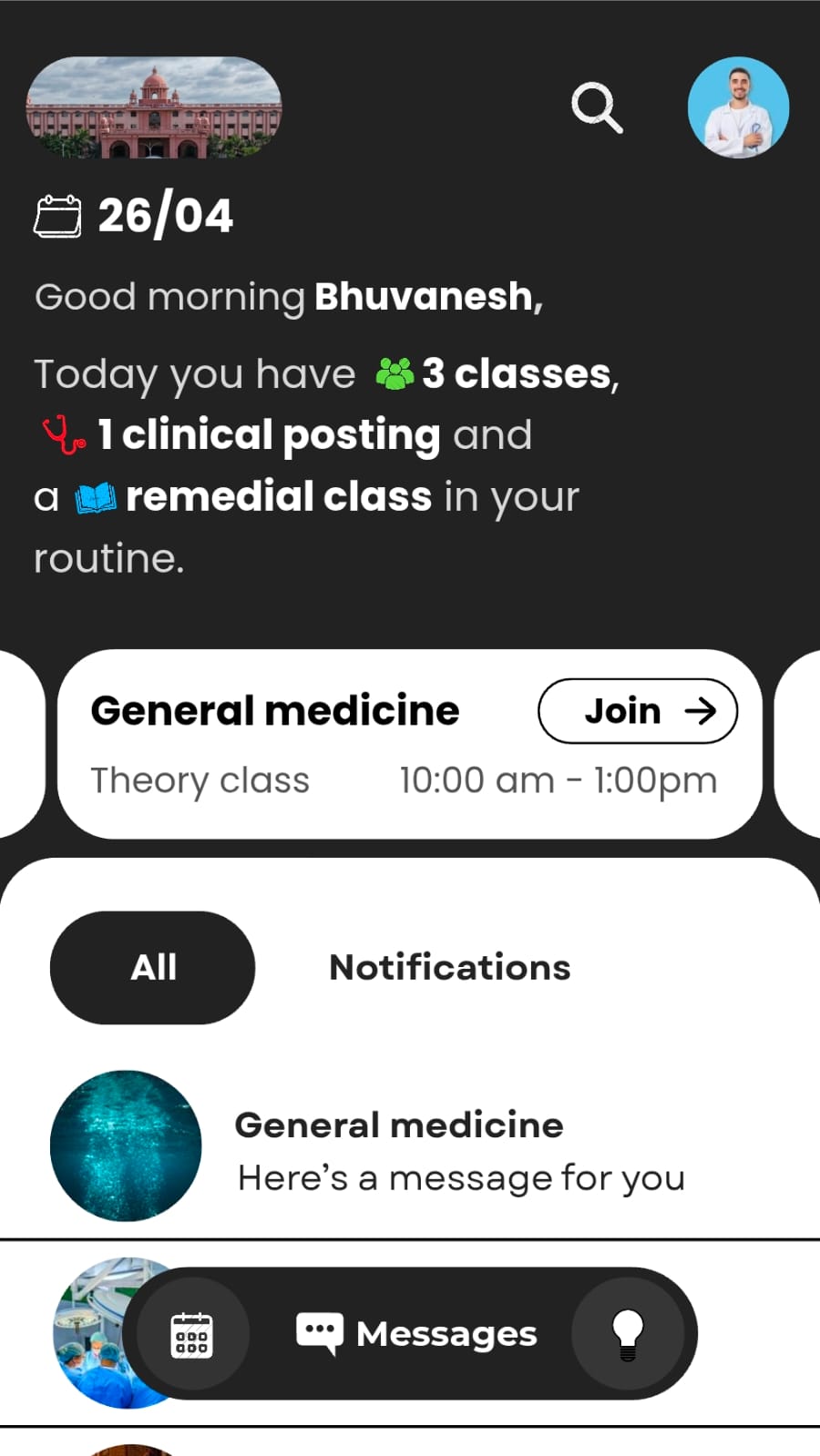
HOME SCREEN

  • Displays institutional identity with college banner and quick profile access.
  • Shows smart daily summary: classes, clinical postings, remedial alerts.
  • Dynamic class card with join, attendance, notes access.
  • Centralized notifications with priority tagging and acknowledgment tracking.
  • Quick-access bottom bar for calendar, messages, and insights.
  • Real-time attendance and skill progress visibility.
  • Reduces confusion, improves compliance, enhances daily academic clarity.
home screen

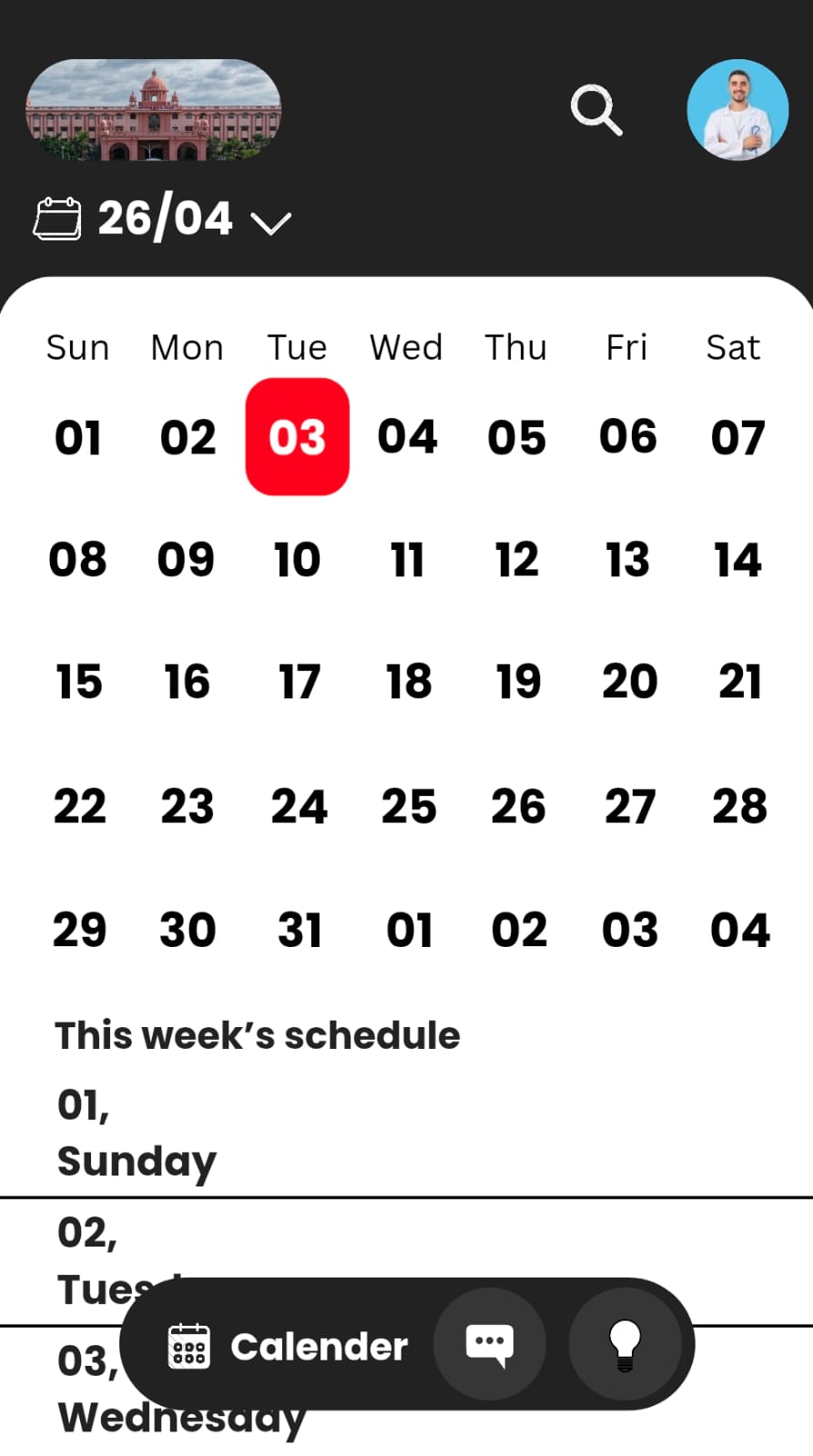
CALENDER SCREEN

  • Interactive monthly calendar with highlighted current date and easy day selection.
  • Dropdown date control for quick month navigation.
  • Weekly schedule preview for structured planning.
  • Integration with classes, clinical postings, exams, and events.
  • Real-time updates reflecting timetable or duty changes.
  • Quick-access bottom bar for calendar, messages, and insights.
  • Centralizes academic planning, improves time management, and reduces schedule confusion.
calendar screen

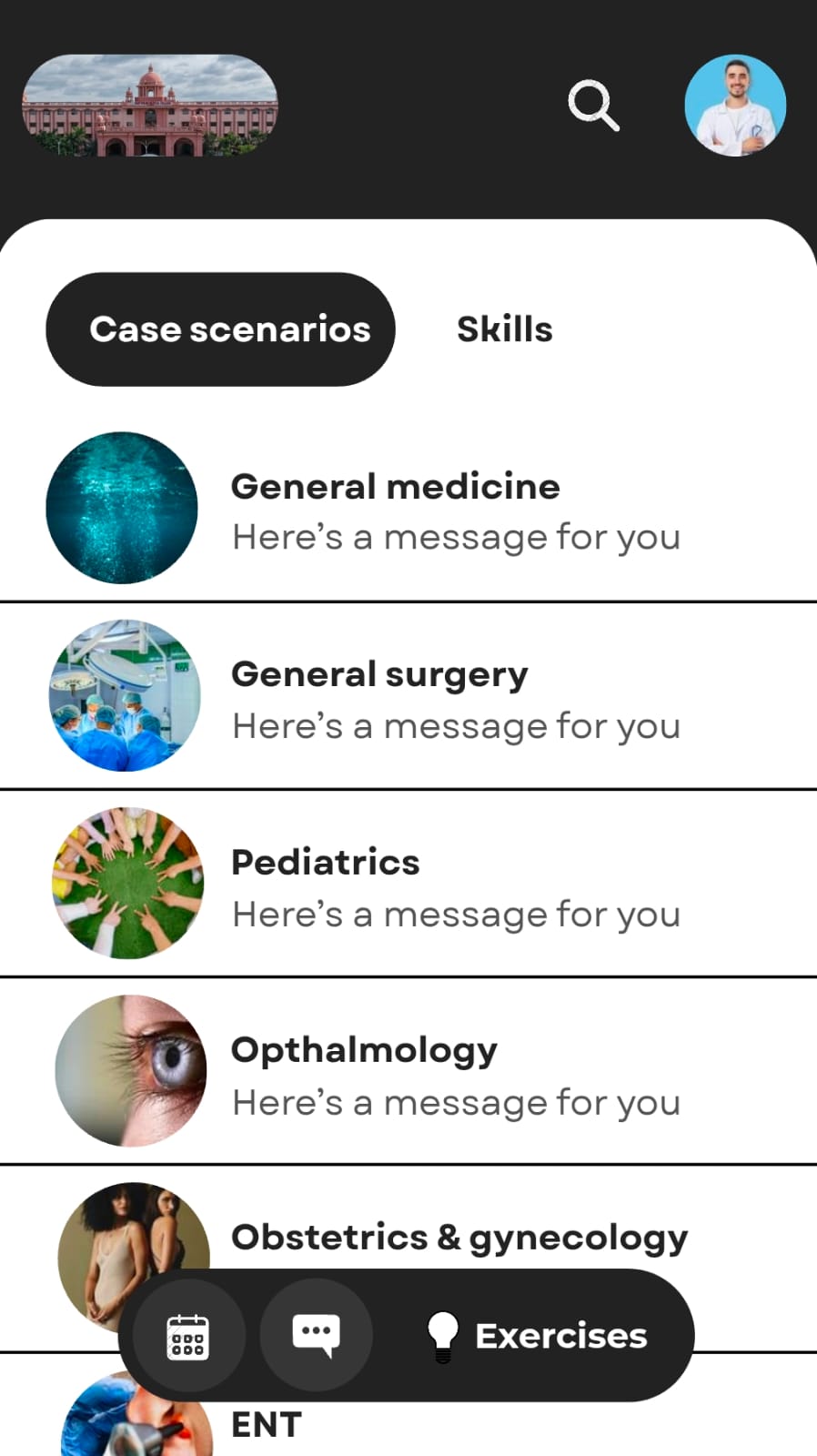
EXERCISES SCREEN

  • Tab-based navigation between Case Scenarios and Skills for structured academic focus.
  • Department-wise categorization: General Medicine, Surgery, Pediatrics, Ophthalmology, OBG, ENT.
  • Each department includes faculty messages, updates, and clinical learning prompts.
  • Circular visual identifiers improve quick recognition and usability.
  • Floating quick-access bar for calendar, messaging, and exercises.
  • Organized specialty-based learning improves clarity, structured training, and academic accountability.
exercises screen

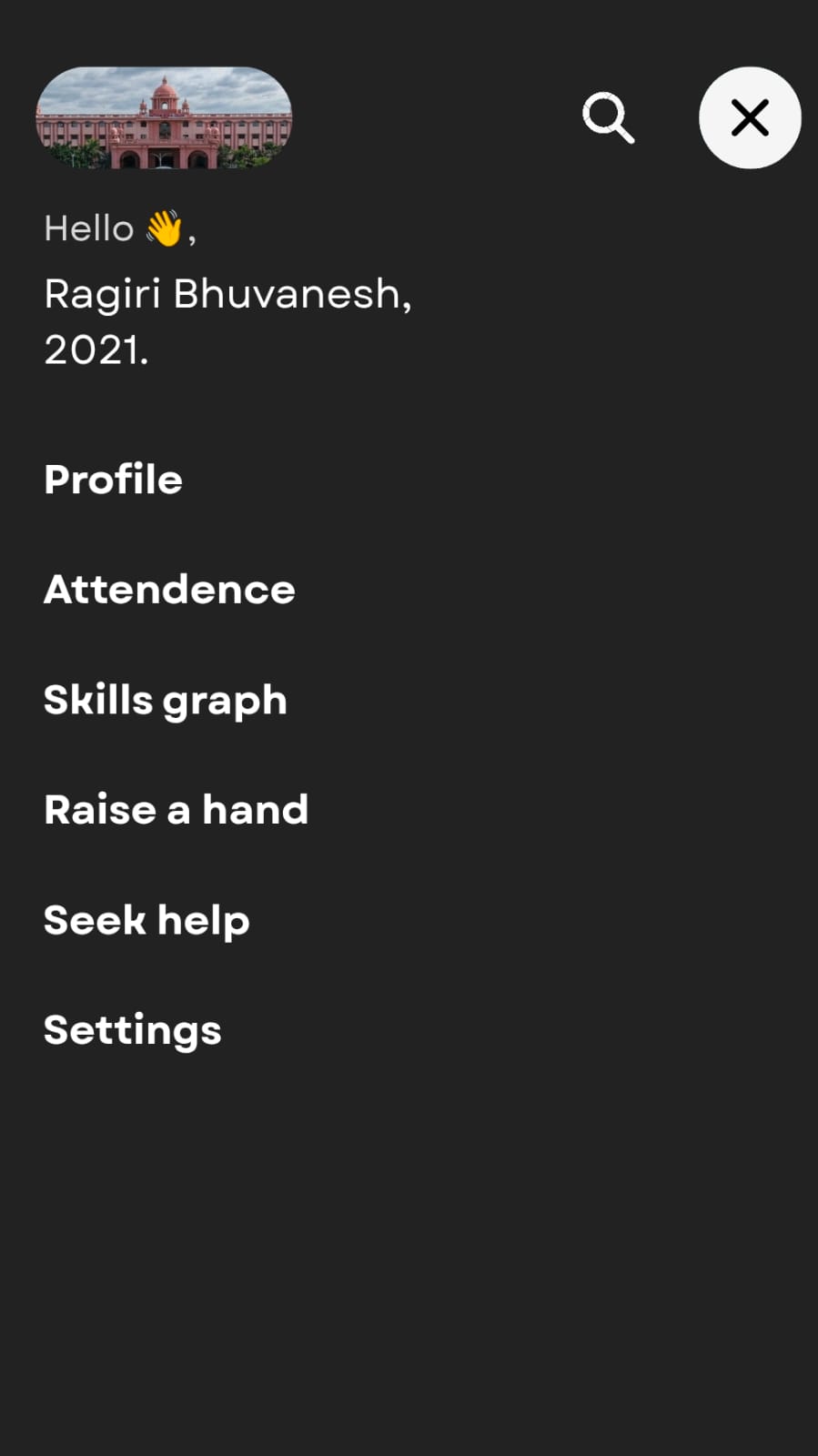
PROFILE SCREEN

  • Personalized greeting with batch identification for quick academic recognition.
  • Profile section for academic details, postings, and institutional records.
  • Attendance dashboard access for real-time percentage and shortage alerts.
  • Skills graph visualizing competency progress across departments.
  • “Raise a Hand” feature for academic queries during sessions.
  • “Seek Help” for mentoring, academic, or wellness support requests.
  • Settings for account control, notifications, and privacy preferences.
profile screen

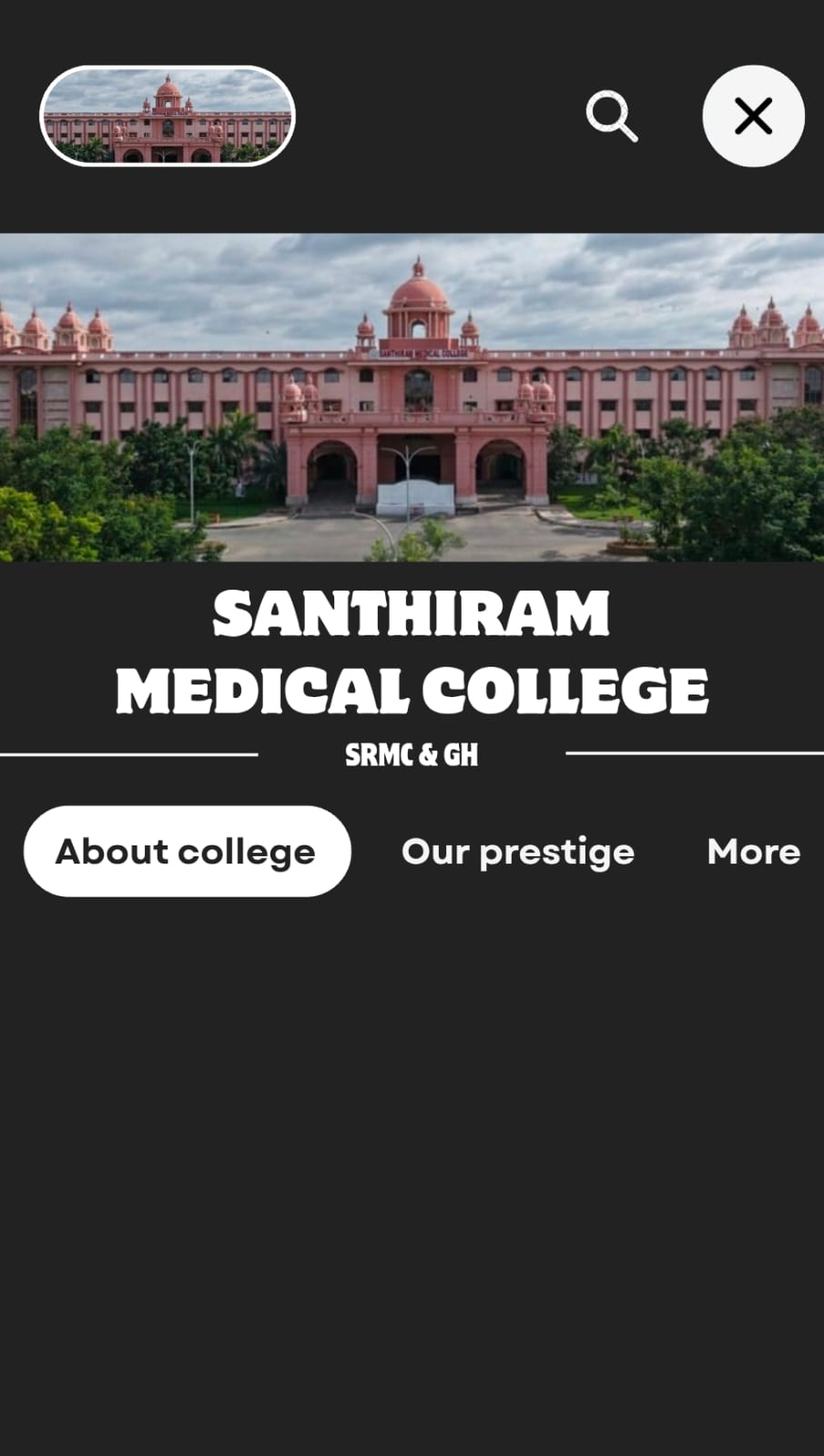
COLLEGE SCREEN

  • Dedicated college home screen with institutional branding and identity.
  • Visual campus banner for strong emotional and academic connection.
  • “About College” section detailing history, vision, and infrastructure.
  • “Our Prestige” highlighting achievements, rankings, and milestones.
  • Additional tabs for extended institutional information and updates.
  • Centralized hub connecting students to academics, departments, and announcements.
college screen

ATTENDENCE SCREEN

Students tap “Join class” to verify their physical presence via GPS geo-fencing within the lecture hall. The app then monitors mobile screen time; usage exceeding 2 minutes is recorded and reported to the department admin. At session end, students click “End class” for facial biometric verification, confirming they remained present throughout.

This multi-layered approach—combining location tracking, behavioral monitoring, and biometrics—prevents proxy attendance, discourages distractions, and promotes active engagement. A transparent notification informs users that screen time data will be shared with administration, upholding academic integrity in medical education.
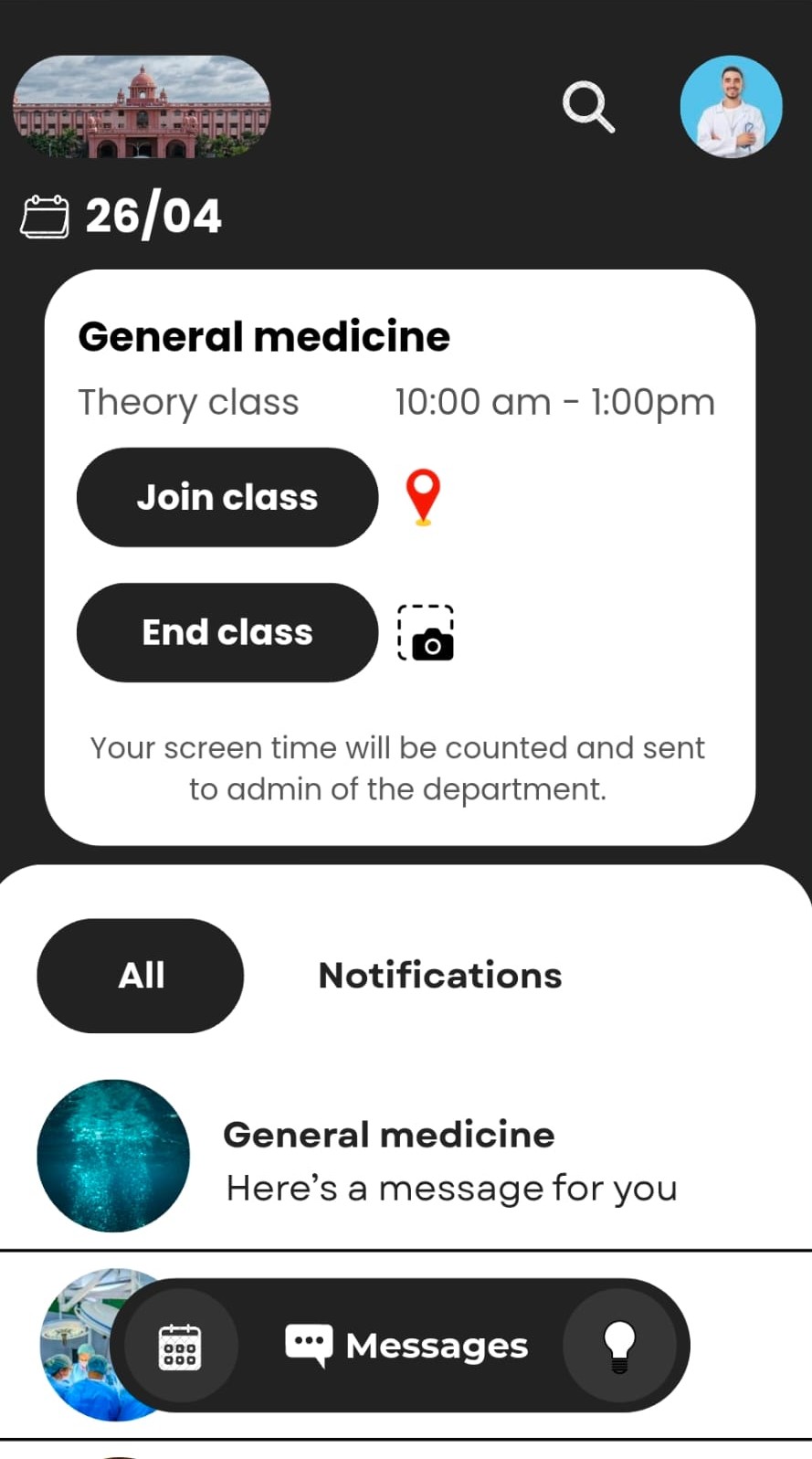
attendance screen

THE NEXT STEP IN THIS JOURNEY:
INTER-UNIVERSITY COMMUNICATION

We introduce Inter-University Communication, enabling institutions to collaborate, share insights, and build academic visibility.

Dashboards featuring:

  • Academic achievements and milestones
  • Published research and thesis portfolios
  • Ongoing projects and collaborations
  • Department performance metrics
  • Student research involvement